




Mastering CTD Module 4 Nonclinical Study Reports and Summaries using AI
Mar 09, 2026Managing over 100 nonclinical reports doesn't have to be overwhelming. See how AuroraPrime RMA uses smart batch processing and AI chat to automate CTD Module 2.6 Nonclinical Summaries.
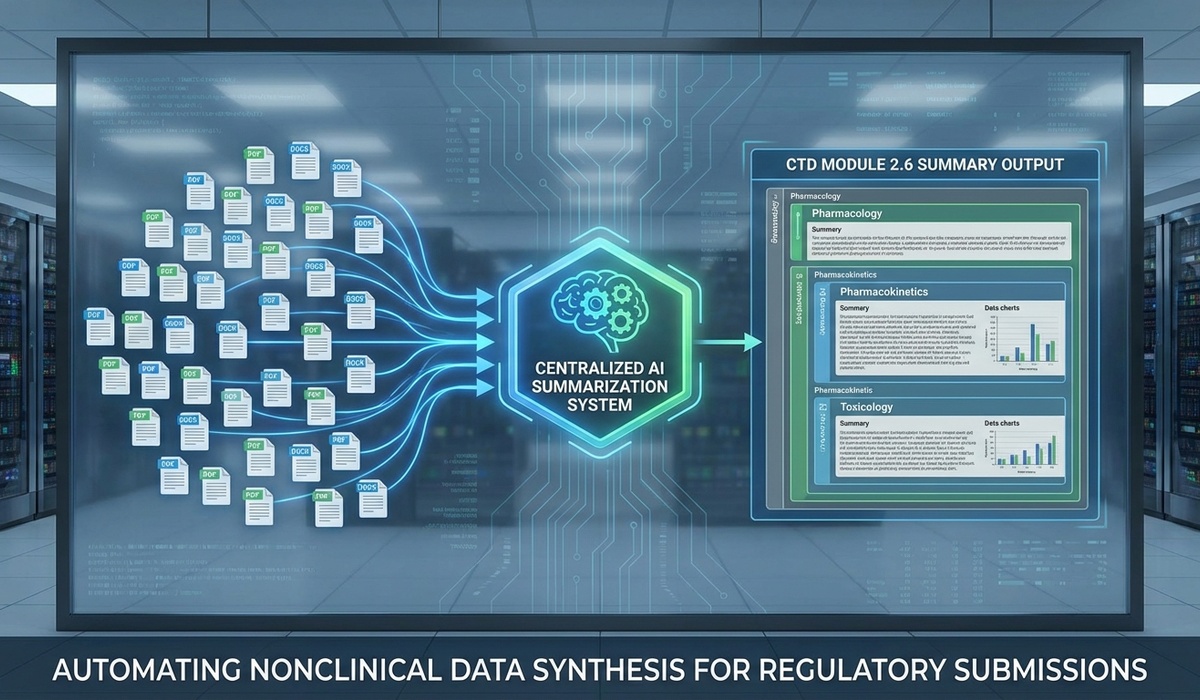
Regulatory writing teams deal with an incredible volume hurdle when preparing nonclinical submission dossiers. While a typical submission might lean on a handful of clinical trials, the nonclinical phase produces an absolute ocean of data. A single drug application often demands synthesizing anywhere from 30 to 100 separate CTD Module 4 Nonclinical Study Reports covering pharmacology, pharmacokinetics, and toxicology.
Pulling this all together manually is exhausting. Reviewing, summarizing, and cross-referencing this sheer volume of content—which usually comes from multiple labs in totally different file formats—into a single, cohesive CTD Module 2.6 Nonclinical Summaries document is essentially an error-prone marathon.
But it honestly doesn't have to be.
By bringing in an advanced AI Writing Solution for Life Sciences, organizations can completely flip the script on their nonclinical authoring. AlphaLife Sciences’ AuroraPrime RMA for Non-Clinical introduces intelligent automation and dynamic document parsing right to the regulatory frontline.
Here’s what we’ll cover in this guide:
The real challenge of scaling nonclinical documentation
How AI automatically structures and batches Module 4 reports
Why interactive AI "Chat" is a game-changer for massive report libraries
How AI-generated report abstracts ensure pinpoint accuracy
The Nonclinical Volume Challenge
Nonclinical writing pushes traditional manual workflows past their breaking point. Because of the sheer mass of CTD Module 4 Nonclinical Study Reports, writers have to go on massive data retrieval expeditions before they can even draft a single sentence of the summary.
Diverse Formats and Fragmented Data
Because nonclinical studies are so often outsourced to various Contract Research Organizations (CROs), the reports come back looking completely different. They have wildly divergent formats, structures, and naming conventions. Trying to locate the No Observed Adverse Effect Levels (NOAELs) hidden across fifty different PDFs and Word docs requires tedious, manual searching that wastes hours.
The Complexity of Module 2.6 Assembly
Putting together the CTD Module 2.6 Nonclinical Summaries means you have to manually map the findings of those 100 scattered reports into very rigid regulatory frameworks (like the 2.6.6 Toxicology Written Summary). Writers must categorize every report, establish a logical flow, and painstakingly summarize the methods, key findings, and final conclusions.
Pro Tip: The biggest hidden cost in manual nonclinical writing isn't the physical drafting; it's the operational time wasted just hunting through source documents to find isolated data points.
AuroraPrime RMA: Intelligent Batch Processing
AuroraPrime RMA solves the volume problem by acting as a seriously smart aggregation engine. Instead of forcing a writer to map documents one by one, the platform introduces automated structuring and batch generation.
Auto-Structuring the Written Summary
When starting a new CTD Module 2.6 Nonclinical Summaries document, a writer just selects the M2.6 template and points the system at the project's library of CTD Module 4 Nonclinical Study Reports.
The RMA engine doesn’t just blindly import files—it actually understands them. The AI instantly categorizes the reports (distinguishing between Pharmacology, Pharmacokinetics, or Toxicology), suggests the right template sections, and builds out a customized document structure.
Batch Content Generation
Once you confirm the structure, you can kick off batch generation. The platform systematically reads all the associated M4 reports and drafts the summary content for every section at the same time. For writers, this magically converts the drafting process from a daunting writing assignment into an efficient editorial review. You get to start with a draft that is already halfway to the finish line.
Dynamic Insights with "Chat with Reports"
Probably the most revolutionary tool inside AuroraPrime RMA for Non-Clinical is the interactive AI Assistant.
Imagine you need to verify data across 60 separate toxicology reports. Instead of popping open 60 PDFs on your desktop, you just use the Report Chat feature right within the add-in. You can ask natural questions like: "What were the key findings from reproductive toxicity studies?" or "Summarize the pharmacokinetic parameters across all PK studies."
The AI instantly scans the entire library of CTD Module 4 Nonclinical Study Reports, synthesizes the findings, and gives you a precise, citation-backed answer that you can drop straight into the document.
| Traditional Search Methodology | AuroraPrime RMA "Chat" Methodology |
|---|---|
| Open individual PDFs and CTRL+F | Single query across 100+ documents |
| Manually compile findings | Instant AI synthesis |
| High risk of missing isolated data | Comprehensive semantic parsing |
The Role of Report Abstracts
AI needs clear guardrails to work well. AuroraPrime RMA uses automated Report Abstracts as steering mechanisms. When you first upload the M4 reports, the system generates a quick, concise "abstract" of the study that captures its objectives, methods, and key findings.
Writers can easily edit these abstracts to boost specific points they want highlighted in the final summary. Think of these abstracts as the architectural blueprints the AI uses to construct the final CTD Module 2.6 Nonclinical Summaries. By simply tweaking the abstract, you control the final output quality without having to rewrite the actual document.
Frequently Asked Questions
What happens if I get new CTD Module 4 Nonclinical Study Reports late in the game?
AuroraPrime RMA has an "Add Reports to Draft" feature that lets you incrementally add new M4 reports. The AI naturally absorbs the new reports, updates the document structure, and generates only the necessary supplementary content—leaving all your existing editorial work perfectly intact.
Can the system handle data tables?
Absolutely. The platform's generation engine natively supports extracting and formatting table data directly from all kinds of source files, which dramatically cuts down on manual table-building.
Does the platform work with scanned PDFs?
Yes, AuroraPrime's document ingestion uses advanced optical character recognition (OCR) and layout parsing to pull key information from both DOCX files and those notoriously difficult scanned PDFs provided by external labs.
Conclusion
The era of manual nonclinical synthesis is finally drawing to a close. By adopting an advanced AI Writing Solution for Life Sciences, regulatory teams can confidently tackle the massive volume of CTD Module 4 Nonclinical Study Reports without breaking a sweat.
AuroraPrime RMA empowers medical writers to swap manual document hunting for high-level strategic review, speeding up the creation of CTD Module 2.6 Nonclinical Summaries and getting your drug to the clinic noticeably faster.
Ready to finally conquer your nonclinical documentation? Check out the power of automated regulatory authoring and see how AuroraPrime RMA can transform your submission strategy today.
